
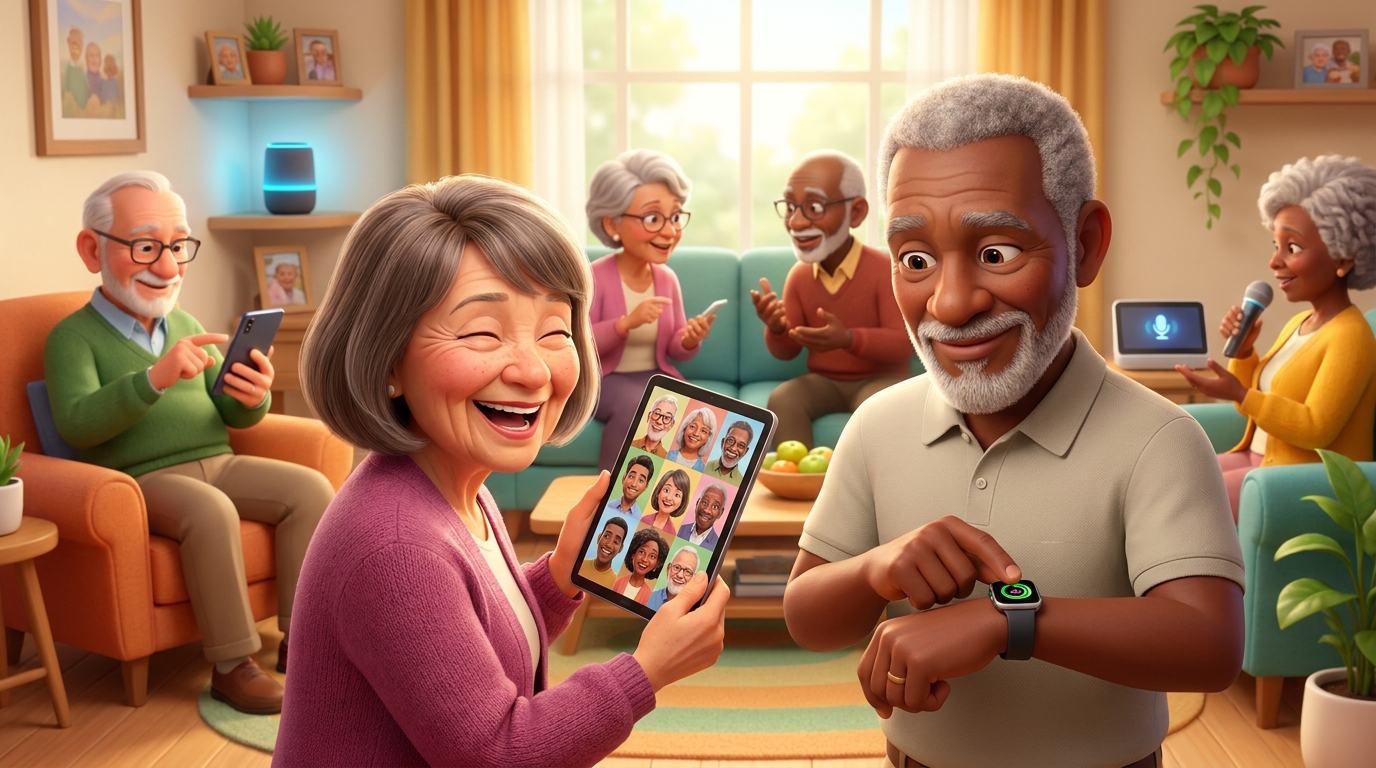
For years, I’ve watched the tech industry treat anyone over 50 like they’re completely baffled by anything with a power button. The stereotype of the confused grandparent unable to work a smartphone has been milked dry by comedians and advertisers alike. But here’s the thing that’s absolutely brilliant: seniors buying technology has skyrocketed, and the numbers don’t lie. In 2025, 71% of older adults purchased tech products. Seventy-one percent! That’s not a niche market anymore, that’s a movement.
This shift in older adults tech adoption isn’t just interesting, it’s transformative. It represents a fundamental change in how we think about technology, who it’s for, and how it shapes our daily lives. And frankly, it’s long overdue.
Why This Matters More Than You Think
Let me paint you a picture. My aunt Margaret, who’s 68, video calls her grandchildren in Australia every Sunday morning. She orders her groceries online, manages her banking from her tablet, and last month she bought a smartwatch that reminds her to take her medication. Ten years ago, she had a flip phone she barely used and thought the internet was “a bit much.”
That transformation isn’t unique. It’s happening everywhere, and it matters enormously.
Technology for seniors isn’t about keeping up with young people or following trends. It’s about independence, connection, and quality of life. When you can video call your family instead of waiting weeks for a letter, that’s powerful. When you can research your own health conditions, manage your finances without queuing at the bank, or learn a new language from your sofa, that’s freedom. When mobility becomes challenging but you can still shop, socialise, and access services online, that’s dignity.
The pandemic accelerated this shift dramatically. Suddenly, technology wasn’t optional, it was essential. Doctor’s appointments moved online. Family gatherings happened through screens. Shopping became a digital necessity. And you know what? Older adults adapted brilliantly.
What We’re Actually Talking About Here
When we discuss seniors buying technology, we’re covering a surprisingly broad spectrum. We’re talking about smartphones and tablets, certainly. But also smartwatches, fitness trackers, e-readers, smart home devices like voice assistants, video doorbells, and even virtual reality headsets for some adventurous souls.
The technology being purchased serves practical purposes: staying connected with family, managing health, accessing entertainment, handling finances, and maintaining independence. It’s not about having the flashiest gadget or the newest gaming console (though if that’s your thing, more power to you). It’s about tools that solve real problems and enhance daily life.
What it’s not typically used for is quite telling. Most older adults aren’t buying technology for social media clout or to play the latest video games. They’re not particularly interested in cryptocurrency mining rigs or building custom gaming PCs. The focus remains firmly on practical application and genuine benefit, which, between you and me, is rather refreshing in a world obsessed with the next shiny thing.
How We Got Here: A Quick Trip Down Memory Lane
Let’s rewind a bit, because understanding where we’ve come from makes the current situation even more remarkable.
The Before Times
I remember my grandmother’s house in the 1980s. Communication meant writing letters or expensive trunk calls on a telephone attached to the wall with a curly cord. If you wanted to know something, you consulted an encyclopaedia or asked someone who might know. Entertainment was the television (with four channels), radio, or books. Banking meant physically going to the bank during business hours. Shopping meant walking to shops or waiting for catalogues.
It wasn’t primitive, it was just different. Life moved at a different pace, and honestly, there were lovely aspects to it. But the limitations were real. If you had mobility issues, your world could become very small indeed.
The Computer Revolution (Sort Of)
The first home computers arrived in the 1980s, but they were complicated beasts. You practically needed an engineering degree to make them do anything useful. The early internet of the 1990s wasn’t much better, all screeching modems and incomprehensible commands.
These early technologies weren’t designed with older adults in mind. They weren’t really designed with anyone except enthusiasts in mind, if I’m honest. The learning curve was steep, the benefits weren’t immediately obvious, and the whole experience could be frustrating.
The Evolution: From Baffling to Brilliant
The Smartphone Revolution (Mid-2000s)
When the iPhone launched in 2007, it changed everything. Not immediately for everyone, mind you, but it planted a seed. Here was a device you could operate by touching the screen, no instruction manual required (in theory, anyway). The interface was intuitive, visual, and dare I say it, rather elegant.
The benefit over what came before was enormous. Instead of tiny buttons and confusing menus, you had a screen you could actually see and interact with naturally. Apps made specific tasks simple. Want to check the weather? There’s an app. Want to video call someone? Tap the icon.
The Tablet Era (2010 onwards)
Then came tablets, and suddenly we had something even better for many older users. Larger screens, easier to hold than a laptop, simpler than a desktop computer. The iPad, launched in 2010, became particularly popular with older adults, and for good reason. It was less intimidating than a computer, more capable than a phone, and you could use it from your favourite armchair.
The step up from smartphones was that bigger screen and longer battery life. Reading became more comfortable. Video calls felt more personal when you could actually see faces properly. Browsing the internet didn’t require squinting.
Voice Assistants and Smart Speakers (2014 onwards)
Amazon’s Echo, Google Home, and Apple’s HomePod brought something genuinely new: you could talk to your technology. For anyone who found typing or touchscreens challenging, this was revolutionary. “Alexa, what’s the weather?” “Hey Google, call my daughter.” “Siri, remind me to take my medication at 3pm.”
The benefit here was removing barriers. You didn’t need to remember where you put your phone or how to navigate menus. You just asked, and it answered. For people with vision problems, arthritis, or simply a preference for speaking over typing, this was transformative.
Wearable Technology (2015 onwards)
Smartwatches and fitness trackers brought health monitoring to your wrist. The Apple Watch, Fitbit, and similar devices could track your heart rate, detect falls, remind you to move, and even call for help in emergencies.
This was a huge leap because it made health monitoring passive and continuous. Instead of remembering to check your blood pressure or count your steps, your watch did it automatically. For many older adults, this provided peace of mind and genuine safety benefits.
The Current Generation (2023-2026)
Today’s technology has become remarkably sophisticated while simultaneously becoming easier to use, which is quite a trick when you think about it. Modern smartphones have accessibility features built in: text can be enlarged, screens can be simplified, voice control is standard, and emergency features can detect falls or unusual patterns.
Smart home technology has matured beautifully. You can control heating, lighting, and security from your phone or by voice. Video doorbells let you see who’s at the door without getting up. Medication dispensers remind you when to take tablets and can alert family members if you miss a dose.
The current generation of technology for seniors focuses on integration and simplicity. Devices talk to each other, reducing the need to learn multiple systems. Setup is often automated. Updates happen in the background. The technology increasingly works around you rather than requiring you to work around it.
How It Actually Works: Demystifying the Magic
Let me walk you through how modern technology actually functions, because it’s less mysterious than you might think.
The Smartphone in Your Pocket
At its heart, a smartphone is a very fast calculator with a screen, a radio, and some sensors. When you tap an app icon, you’re telling that calculator to run a specific programme. When you send a message, your phone converts your words into radio waves, sends them to a nearby tower, which passes them along a network until they reach the recipient’s phone, which converts them back into words. It happens in seconds, but it’s essentially a very sophisticated version of passing notes, just with more steps.
The internet connection works like a massive library where instead of walking to shelves, you send a request and the information comes to you. When you search for something, your phone sends that request through the airwaves to powerful computers (servers) that store vast amounts of information, they find what you’re looking for, and send it back to your screen.
Voice Assistants: Your Digital Butler
When you talk to Alexa or Google, here’s what happens. The device is always listening for its wake word (don’t worry, we’ll discuss privacy later). When it hears “Alexa” or “Hey Google,” it starts recording your question and sends it to powerful computers in data centres. Those computers use sophisticated pattern matching to understand your words, figure out what you’re asking, find the answer, and send it back to your speaker, all in a couple of seconds.
Think of it like having a very fast librarian who can hear you from anywhere in your house and who has access to every book ever written. You ask a question, they sprint to find the answer, and sprint back to tell you. Except it’s all happening electronically at the speed of light.
Smart Home Devices: The Connected Home
Smart lights, thermostats, and security cameras all work on the same basic principle: they connect to your home’s Wi-Fi network, which is essentially a radio signal that lets devices talk to each other and to the internet. You control them through an app on your phone or by voice commands.
When you tell your smart speaker to turn on the lights, it sends a signal through your Wi-Fi network to the light bulb, which receives the instruction and switches on. It’s like a very sophisticated version of a remote control, except instead of infrared signals that need line of sight, it uses Wi-Fi that works through walls.
Wearable Technology: Your Personal Health Monitor
Smartwatches use various sensors to monitor your body. An optical sensor shines light into your skin and measures how much bounces back, which changes with your heartbeat, allowing it to calculate your heart rate. An accelerometer detects movement, counting steps and detecting falls. Some models include ECG sensors that measure electrical signals from your heart.
All this data gets sent to your smartphone via Bluetooth (another type of short-range radio signal), where apps analyse it and present it in understandable formats. The watch is essentially a collection of tiny sensors and a small computer, all miniaturised to fit on your wrist.
What’s Coming Next: The Future Looks Promising
The future of technology for seniors is heading in some genuinely exciting directions, and I’m cautiously optimistic about most of it.
Artificial intelligence is becoming more sophisticated at understanding context and anticipating needs. Future devices will likely notice patterns in your behaviour and proactively help. Your smart home might notice you haven’t moved much today and gently suggest a walk. Your phone might detect confusion in your voice and offer to call a family member.
Health monitoring is becoming more comprehensive and less intrusive. We’re moving towards technology that can detect early warning signs of illness, monitor chronic conditions continuously, and alert healthcare providers to concerning changes before they become emergencies. Imagine a watch that could detect the early signs of a stroke or a fall before it happens.
Virtual and augmented reality are becoming more accessible and less nauseating (the early versions could make you quite queasy). Future applications might include virtual visits to museums, attending concerts from your living room, or even virtual physiotherapy sessions with real-time feedback on your movements.
The really transformative development, though, is technology becoming more adaptive. Instead of you learning how the technology works, it learns how you work. Interfaces that adjust to your preferences automatically, devices that communicate in your preferred style, systems that simplify themselves based on what you actually use.
Security: Let’s Talk About the Elephant in the Room
Right, this is important, so I’m going to be direct. Technology offers wonderful benefits, but it also creates new vulnerabilities, and you need to know about them.
The Threats Are Real
Scammers have become sophisticated. They send emails and text messages that look legitimate but aren’t. They call pretending to be from your bank, the tax office, or technical support. They create fake websites that look identical to real ones. Their goal is simple: to trick you into giving them money or personal information.
The reason older adults are often targeted isn’t because you’re less capable, it’s because scammers are mercenary and assume you might have more savings and be less familiar with digital scams. It’s predatory and infuriating, but knowing it helps you defend against it.
Protecting Yourself: Practical Steps
First, understand this fundamental truth: no legitimate organisation will ever call you unexpectedly asking for passwords, PIN numbers, or immediate payment. Not your bank, not the police, not the tax office, not technical support. If someone does this, it’s a scam. Hang up.
Use strong passwords, which I know is tedious advice you’ve heard before, but it matters. A strong password is long (at least 12 characters), includes a mix of letters, numbers, and symbols, and isn’t based on easily guessed information like birthdays. Better yet, use a password manager, which is an app that creates and remembers complex passwords for you.
Enable two-factor authentication wherever possible. This means that even if someone gets your password, they still can’t access your account without a second form of verification, usually a code sent to your phone. It’s a minor inconvenience that provides major protection.
Be sceptical of unexpected messages, even from people you know. If your friend sends you a strange link out of the blue, their account might be compromised. If you receive an email from your bank about suspicious activity, don’t click links in the email. Instead, open your browser and go to the bank’s website directly.
Keep your devices updated. Those annoying update notifications aren’t just adding features, they’re fixing security vulnerabilities. Enable automatic updates if possible.
Privacy Considerations
Voice assistants listen for their wake words, which means they’re technically always listening, though they shouldn’t be recording or sending data until activated. If this concerns you (and it’s reasonable if it does), most devices have mute buttons or can be unplugged when you want guaranteed privacy.
Smart home devices with cameras should be positioned carefully and secured with strong passwords. The cheap security camera that’s easy to hack isn’t worth the risk.
Be mindful of what information you share online and who can see it. Social media privacy settings are worth understanding. You don’t need to share your location, your full birthdate, or details about when you’ll be away from home.
[Confidence: High – Cybersecurity best practices are well-established and consistently recommended by security experts.]
Why This All Matters: Bringing It Together
The surge in seniors buying technology represents something profound. It’s a rejection of the idea that technology is only for the young. It’s recognition that these tools, for all their quirks and complications, offer genuine benefits. It’s older adults saying “this is useful, and I’m capable of learning it.”
The 71% of older adults who purchased technology in 2025 aren’t chasing trends or trying to seem young. They’re pragmatically adopting tools that help them stay connected, maintain independence, manage their health, and continue learning and growing. That’s not only sensible, it’s admirable.
Older adults tech adoption has reached a tipping point where it’s becoming the norm rather than the exception. This creates a positive feedback loop: as more people adopt technology, more products are designed with older users in mind, which makes adoption easier, which increases uptake further.
I’ve watched my own parents, both in their seventies, transform from technology sceptics to confident users. My father video calls his scattered children weekly, manages his investments online, and recently bought a drone (for reasons I don’t fully understand, but he’s having tremendous fun). My mother reads books on her tablet, follows cooking channels on YouTube, and uses her smartwatch to track her daily walks.
They’re not unusual anymore, and that’s the point. Technology has become accessible enough, useful enough, and frankly essential enough that age is no longer the barrier it once was.
The key is approaching it on your own terms. You don’t need to use every feature or own every device. You don’t need to keep up with teenagers or understand the latest social media platform. You use what’s useful to you, ignore what isn’t, and refuse to be intimidated by the rest.
Technology should serve you, not the other way around. It should make your life easier, richer, and more connected. When it does that, it’s worth the learning curve and the occasional frustration. When it doesn’t, well, there’s no shame in deciding a particular gadget isn’t for you.
The future of technology for seniors looks genuinely promising. As the market grows, products will continue improving. Interfaces will become more intuitive. Support will become better. The assumption that older adults can’t or won’t use technology is dying, and good riddance to it.
So whether you’re part of that 71% already or you’re considering taking the plunge, know this: you’re not alone, you’re absolutely capable, and the benefits are real. Technology can be frustrating, certainly. It can be confusing. But it can also connect you with loved ones across the world, help you maintain your independence, keep you safe, and open up new possibilities.
And honestly, that’s rather wonderful.
Walter
Leave a Reply