

Your Password Is Like a Lock, 2FA Is Like a Deadbolt: Here’s Why You Need Both
Let’s have a chat about something that sounds complicated but really isn’t. Two factor authentication. Or as the cool kids call it, 2FA. Now, before your eyes glaze over at yet another tech term, hear me out. This is actually one of those rare bits of technology that’s genuinely worth understanding, because it stands between your bank account, your emails, your precious photos, and the sort of people who’d nick the pennies off a dead man’s eyes.
Think of it this way. Remember when you used to lock your front door with just a key? That was fine for decades. But then someone somewhere realised that a key alone isn’t perfect. Keys get copied. Keys get lost. Keys get found by the wrong people. So what did we do? We added chains, deadbolts, and those little spy holes so you can see who’s knocking. Two-factor authentication is basically the digital version of that deadbolt. Your password is the key, and 2FA is that extra lock that makes the bad guys think twice and move on to someone easier.
What Is 2FA and Why Should You Actually Care?
Here’s what is 2FA in the simplest terms possible: it’s a way of proving you’re really you by showing two different types of evidence. Not just your password (which might be “Password123” or your cat’s name), but something else entirely. Usually, it’s a code sent to your phone, generated by an app, or even your fingerprint. The clever bit is that even if some scoundrel gets hold of your password, they still can’t get into your account without that second piece of proof.
What’s it used for? Banking apps, email accounts, social media, shopping sites, work systems, you name it. Basically, anywhere you’ve got something worth protecting. Your money, your personal information, your private messages, your business secrets. Two-factor authentication security is like having a bouncer at the door who not only checks your ID but also rings your mobile to make sure it’s really you.
What’s it not used for? Well, it’s not a magic shield that makes you invincible online. It won’t stop you clicking on dodgy links or protect you from viruses. It’s not a replacement for common sense. Think of it as one very important layer in your security sandwich, not the entire meal.
The Old Days: When Passwords Ruled the Earth
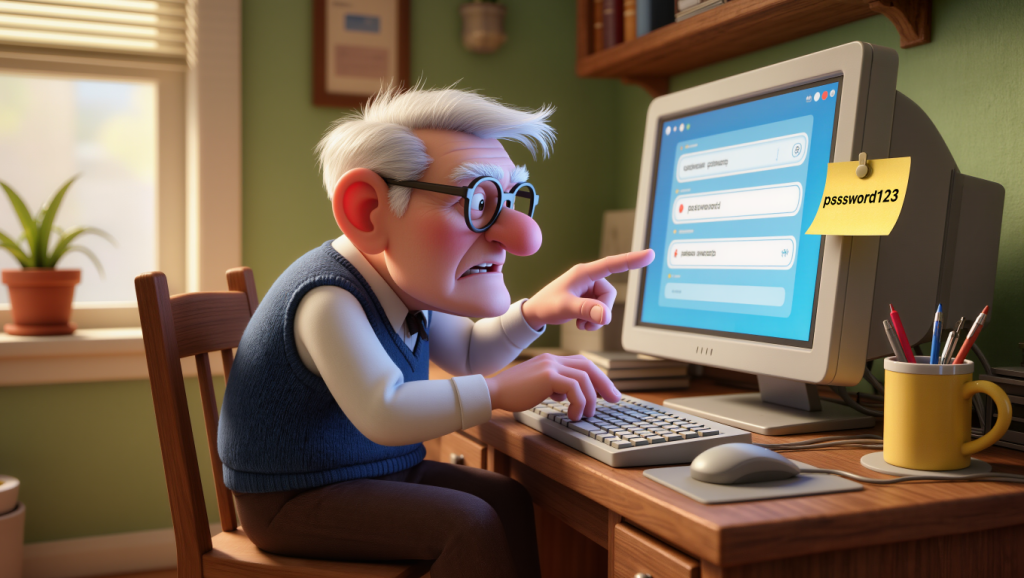
Cast your mind back to the early days of the internet. Dial-up modems that sang their screechy songs. Websites that looked like they’d been designed by someone’s nephew who “knew about computers.” And passwords. Oh, the passwords.
Back then, a password was all you needed. The problem was that passwords have always been a bit rubbish, really. We’re human beings, not filing cabinets. We can’t remember dozens of complex passwords, so we do what humans do: we cheat. We use the same password everywhere. We use our kids’ names, our birth years, our favourite football teams.
Meanwhile, the bad guys got very good at stealing passwords. They’d set up fake websites that looked like your bank. They’d send emails pretending to be from PayPal. They’d break into company databases and steal millions of passwords at once. And because we all used the same password for everything, once they had that one golden key, they could open every door in your digital life.
By the early 2000s, it was clear that passwords alone were about as secure as a chocolate teapot. Something had to change. The security boffins knew we needed another layer, something that couldn’t be stolen quite so easily. And that’s when two-factor authentication started creeping into our lives.
The Evolution of 2FA: From Text Messages to Magic Tricks
The First Wave: SMS Codes
Around 2005, banks started sending text messages with codes to your mobile phone. You’d log in with your password, then wait for a text with a six-digit number, and type that in. Suddenly, stealing your password wasn’t enough. The crooks needed your phone too.
It was brilliant in its simplicity. Most people had mobile phones by then, and receiving a text was something everyone understood. No apps to download, no complicated setup. Just wait for the beep, read the number, type it in. Done.
The downside? Text messages can be intercepted if someone’s really determined. And mobile networks aren’t always the most secure things in the world. But compared to passwords alone, SMS codes were a massive leap forward.
The Second Wave: Authenticator Apps
By the early 2010s, tech companies realised they could do better than text messages. Enter authenticator apps like Google Authenticator, Microsoft Authenticator, and Authy. These clever little apps generate codes right there on your phone, no text message required.
When you enable two-factor authentication on a website using an app, your phone and the website share a secret mathematical formula. Then, every 30 seconds, your phone uses that formula to generate a new six-digit code. The website does the same calculation and knows what code to expect. It’s like having a password that changes twice a minute, and only you and the website know what it is.
The beauty of authenticator apps is that they don’t rely on the mobile network. No one can intercept your codes because they’re not being sent anywhere. They’re just being calculated inside your phone. It’s more secure, faster, and works even when you’ve got no signal.
The Third Wave: Biometrics
Around 2013, Apple stuck a fingerprint scanner on the iPhone and suddenly we all felt like James Bond. Touch ID, Face ID, Windows Hello. Biometrics became the fancy new way to prove you’re you.
Biometrics aren’t strictly 2FA on their own, but when combined with something else, they become incredibly powerful. Imagine unlocking your banking app with your face and then approving a transaction with your fingerprint. Two different biological proofs that you’re you. Pretty hard for a criminal on the other side of the world to fake.
The benefit? Speed and convenience. No typing codes, no waiting for texts. Just look at your phone or touch a button. For those of us whose eyesight isn’t what it used to be, not having to squint at tiny six-digit codes is rather lovely.
The Fourth Wave: Passkeys
Now we’re getting into the really clever stuff. Passkeys are the newest evolution, rolling out across the internet as we speak in late 2025. They’re a complete rethinking of how we prove who we are online.
Here’s the magic: with passkeys, you don’t have passwords at all. Instead, when you create an account, your device creates a pair of digital keys. One stays locked on your device, the other goes to the website. When you want to log in, the website asks your device to prove it has the matching key. Your device does this by using your fingerprint, face, or a PIN. No password to remember, no code to type in.
It’s two-factor authentication baked right into the system. You need your device (something you have) and your fingerprint or face or PIN (something you are or know). And because there’s no password, there’s nothing for the bad guys to steal from the website’s database. More security and less hassle. About time, frankly.
How Does 2FA Actually Work? Let’s Walk Through It
Right, let’s break down exactly what happens when you enable two-factor authentication. I’ll use a banking app as an example.
Step One: Enabling 2FA
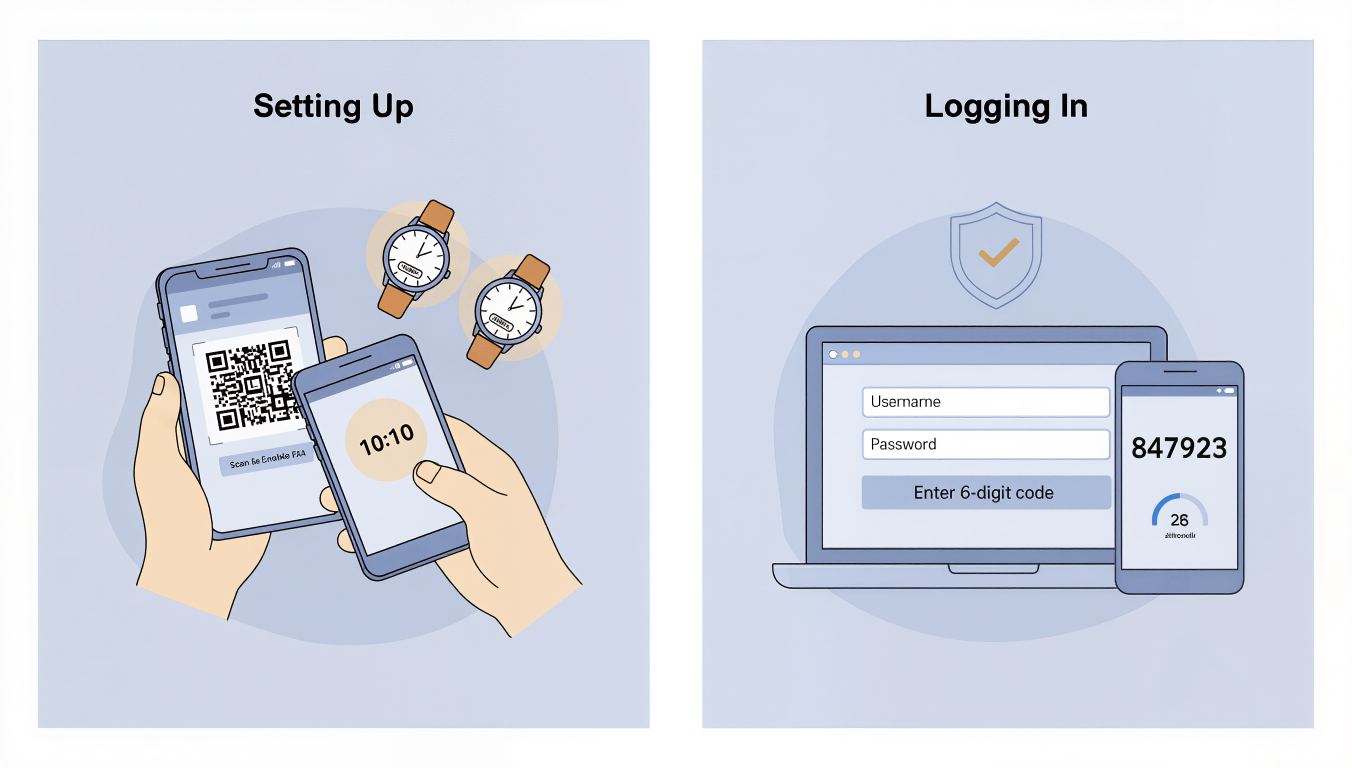
You go into your banking app’s security settings and find the option to enable two-factor authentication. Let’s say you choose an authenticator app. The app shows you a QR code, which is just a fancy square barcode. You open your authenticator app, tap “add account,” and point your phone’s camera at the QR code. Beep. Done. Your authenticator app now shows a six-digit code for your bank that changes every 30 seconds.
What just happened? Your phone and the bank just shared a secret mathematical formula. They’re now synchronised, like two watches set to exactly the same time.
Step Two: Logging In
A week later, you want to check your balance. You open the banking app and type in your username and password. This is the first factor, something you know.
The app says, “Right, now prove it’s really you. What’s the code from your authenticator app?” You switch to Google Authenticator, find your bank, and see the current code: 847923. You type that into the banking app.
Behind the scenes, the bank’s computer has calculated what the code should be at this exact moment using that secret formula. It checks if your code matches. It does. You’re in.
This is the second factor, something you have: your phone with the authenticator app. Even if someone’s stolen your password, they can’t get into your account without that code from your phone.
The Clever Bit
The code changes every 30 seconds. So even if someone’s watching over your shoulder and sees you type in 847923, by the time they try to use it, it’s expired. The next code might be 193847. Totally different. Totally useless to them.
That’s how to enable 2FA and why it works. Two separate proofs. Password plus phone. Knowledge plus possession. Belt and braces.
The Future: Where 2FA Is Heading
Here’s the thing about the future of security: it’s getting better and easier at the same time. Usually, those two things don’t go together, but for once, we’re winning.
Passkeys Everywhere
By 2026, you’ll start noticing that websites don’t ask for passwords anymore. They’ll just say, “Use your fingerprint to sign in” or “Look at your camera.” That’s passkeys taking over. Apple’s already pushing it hard. Google’s all in. Microsoft too.
The experience will be simple: you go to create an account somewhere new. The site says, “Save a passkey.” You tap yes. You put your thumb on your phone or glance at your laptop camera. Done. Account created. No password to invent, memorise, or write down. When you come back next week, you just look at the camera again. You’re in.
Biometrics Get Better
By 2027 or 2028, biometric technology will be even more sophisticated. Your phone already uses depth sensors to map your face in three dimensions. Future systems might use thermal imaging to ensure it’s a real, warm human face, not a mask. Voice recognition will improve too.
The clever bit is that all of this happens on your device. Your face map, your fingerprint data, it never leaves your phone. The bank or website never sees it. They just get a message saying, “Yes, the person holding this device successfully unlocked it.” Privacy and security, finally working together.
Invisible 2FA
Here’s a wild prediction for 2030: two-factor authentication will become largely invisible. Your devices will work together seamlessly. Imagine your laptop knows you from face unlock, your phone confirms a transaction with another face unlock plus physical possession. Two factors, zero hassle.
The technology will fade into the background, which is exactly where the best technology belongs. You’ll be safer than ever, and you’ll barely notice it happening.
Security and Vulnerabilities: Yes, 2FA Can Be Beaten (But Don’t Panic)
Two-factor authentication is brilliant, but it’s not invincible. The bad guys are clever, and they’ve found ways around it. Let’s talk about the main threats, not to scare you, but to arm you with knowledge.
Phishing: The Art of the Con
Phishing is when criminals create fake websites or send fake emails that look exactly like the real thing. You think you’re logging into your bank, but you’re actually typing your password and your 2FA code into a fake site controlled by criminals. They capture both, then immediately use them to log into the real site before the code expires.
This is why 2FA security, whilst excellent, isn’t foolproof. The technology works perfectly, but humans can still be tricked. The defence? Always check the web address in your browser before logging in. If you clicked a link in an email, don’t trust it. Go directly to the website yourself by typing the address. If an email asks you to log in urgently, phone the company instead.
SIM Swapping: The Phone Hijack
This is a particularly nasty trick aimed at SMS-based 2FA. Criminals gather information about you from social media or data breaches, then convince your mobile network to transfer your phone number to a new SIM card that they control.
Suddenly, your text messages are going to their phone, not yours. They request a password reset on your email. The reset code goes to “your” phone number, which they now have. They get into your email, use that to reset other passwords, and before you know it, they’re in your bank account.
The good news is that SIM swapping is quite rare because it takes effort. The defence? Don’t use SMS codes if you can avoid them. Use an authenticator app or passkeys instead. And put a PIN or password on your mobile phone account itself.
Malware on Your Device
If you get nasty software installed on your phone or computer (usually by downloading something dodgy), that malware might be able to steal your 2FA codes as you enter them. Some sophisticated malware can even intercept codes from authenticator apps.
The defence here is basic computer hygiene. Don’t download apps from random websites. Stick to official app stores. Don’t click on links in emails from people you don’t know. Keep your operating system and apps updated. Run antivirus software if you’re on Windows.
The Human Factor
The biggest vulnerability isn’t the technology, it’s us. We get tired, distracted, or in a hurry. We click things without reading them. We trust people we shouldn’t.
Two-factor authentication dramatically reduces the risk, but it works best when you combine it with sensible habits. Use a password manager to create strong, unique passwords for every site. Don’t share your 2FA codes with anyone, ever. If someone phones claiming to be from your bank and asks for a code, hang up. Banks don’t do that.
Wrapping It All Up: Your Digital Deadbolt
So here we are. Two-factor authentication, from those early SMS codes to tomorrow’s invisible passkeys, is the security blanket the internet desperately needed. It’s the recognition that passwords alone were never going to cut it in a world where millions of criminals are trying billions of password combinations every single day.
What is 2FA? It’s proof that technology can actually get simpler and more secure at the same time. It’s your digital deadbolt, your guard dog, your bouncer at the door. It’s the difference between leaving your house unlocked and sleeping soundly knowing you’ve done what you can to keep the bad guys out.
Yes, it requires a tiny bit of effort to set up. Yes, you’ll need to keep your phone charged and near you when you log into things. Yes, there are still ways it can be beaten if you’re not careful. But compared to the alternative, which is relying on a single password that’s probably “Summer2023!” or your dog’s name, it’s a no-brainer.
The future is bright, too. As passkeys roll out and biometrics improve, how to enable 2FA will become even simpler. Soon, you won’t even think of it as a separate thing. Unlocking your device will be the authentication. Everything will just work, securely, in the background.
But that future starts with you making a decision today. Tonight, before bed, go into your most important accounts. Your email. Your bank. Your social media if you care about that. Find the security settings. Enable two-factor authentication. Download Google Authenticator or Microsoft Authenticator if you need to. Take the five minutes.
Because somewhere out there, right now, someone’s trying to guess your password. They’re going through leaked databases, trying combinations, sending fake emails. They’re betting you haven’t bothered with 2FA because it seems like hassle.
Prove them wrong. Lock that second door. Future you will be very glad you did.
Walter
Leave a Reply