
Why Cloud Computing Matters
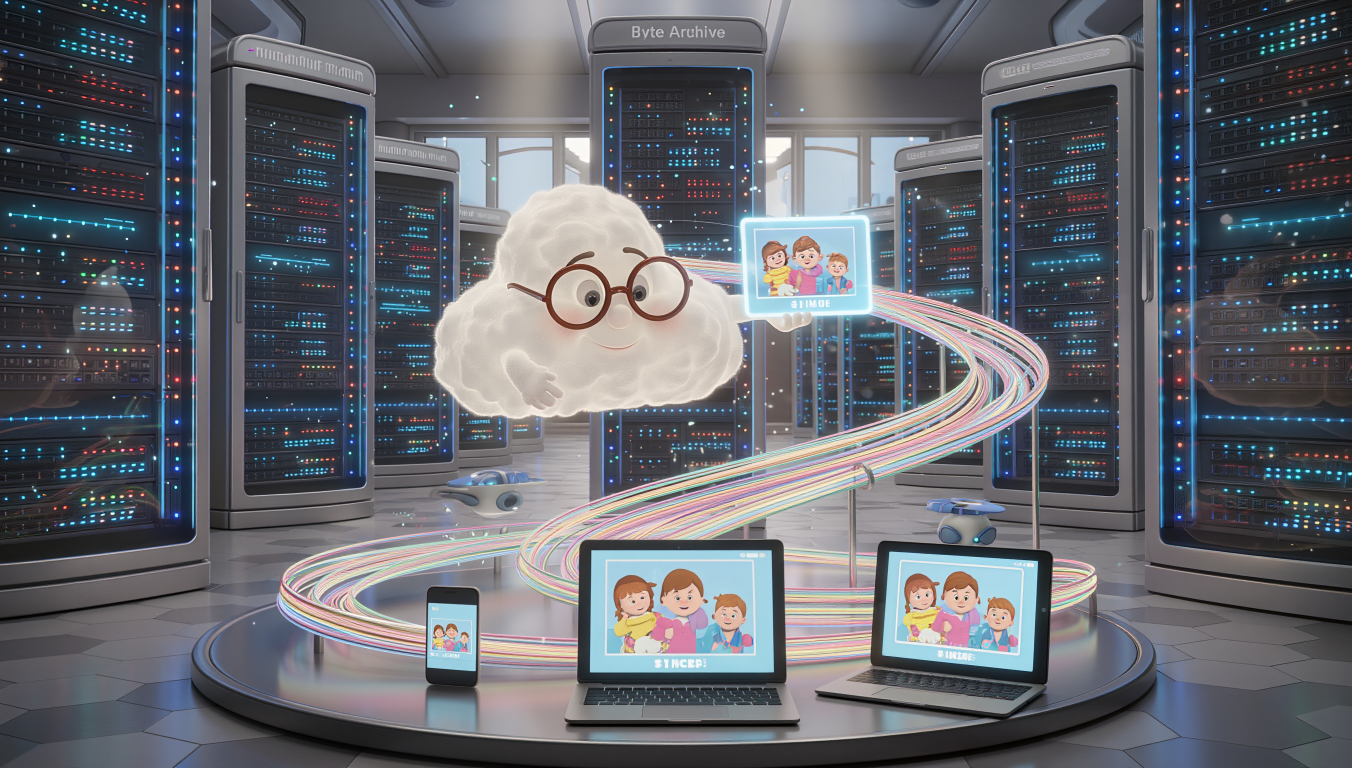
Let me tell you something. I remember the first time someone told me my photos were “in the cloud” and I genuinely looked up at the sky. Ridiculous, I know. But here’s the thing: cloud computing has become so fundamental to our daily lives that we’re using it constantly without even realising it. Every time you check your email, stream a film on Netflix, or look at photos on your phone, you’re tapping into the cloud.
And it’s not just for tech enthusiasts or young people. Cloud computing has transformed how we work, communicate, and store our memories. It’s made our lives simpler in ways we don’t always appreciate. Think about it: when was the last time you worried about losing all your contacts when you got a new phone? Exactly. That’s the cloud working quietly in the background.
The importance of cloud services goes beyond convenience, though that’s lovely. It’s revolutionised how businesses operate, how doctors access patient records, how your grandchildren’s school manages their coursework. It’s massive, and it’s everywhere.
What Cloud Computing Actually Does (And What It Doesn’t)
Right, let’s get practical. Cloud computing is fundamentally about storing and accessing your data and programmes over the internet instead of on your computer’s hard drive. Simple as that.
What it’s used for:
Cloud storage is brilliant for keeping your photos, documents, and files safe. Remember when your computer crashed and you lost everything? That doesn’t happen anymore if you’re using the cloud. Your wedding photos, your tax returns, your recipes, they’re all sitting safely on powerful computers in secure facilities around the world.
It’s also used for running software. Instead of buying a CD-ROM and installing Microsoft Office (remember those days?), you now access it through the internet. You pay a subscription, and boom, you’ve always got the latest version. Same goes for watching films, listening to music, even doing your banking.
Businesses use cloud services for absolutely everything now. Their email systems, their customer databases, their accounting software. It’s all floating about in the cloud, accessible from anywhere with an internet connection.
What it’s not used for:
Here’s what the cloud can’t do: it can’t work without the internet. If you’re somewhere with no connection, you’re stuck. It’s like having a brilliant library card but the library’s closed. This is why the cloud isn’t ideal for things you need immediate, guaranteed access to in remote locations.
It’s also not brilliant for applications that need split-second response times. If you’re editing a video or playing a graphics-intensive game, you generally want that software running directly on your computer, not streaming from somewhere else. The tiny delay, called latency, matters.
The World Before the Cloud
Cast your mind back to the 1990s and early 2000s. Every single file you created lived on your computer’s hard drive. If you wanted to share a document with someone, you’d save it to a floppy disk (remember those flimsy things?), then a USB stick, and email it if it wasn’t too large. If your computer died, everything died with it. Brutal.
We had filing cabinets. Actual, physical filing cabinets. And backup tapes that looked like cassettes. Companies had entire rooms full of servers, these massive, expensive computers that needed constant cooling and maintenance. They’d employ people just to look after them. The capital expense was enormous.
If you wanted to run software, you bought it in a box from a shop. You’d install it from multiple CD-ROMs, and it would take forever. Then a year later, a new version would come out and you’d have to buy it all over again. Maddening.
Working from home? Forget it. Your files were on your office computer. If you needed something, you’d either have to go into the office or have someone email it to you, assuming it wasn’t too large for email, which it usually was.
How We Got Here: The Evolution of Cloud Computing
The Beginning (1960s-1990s): The Dream
The idea of cloud computing actually started decades ago. In the 1960s, computer scientist J.C.R. Licklider, who worked on ARPANET (the predecessor to the internet), envisioned an “intergalactic computer network” where everyone could access data from anywhere. Ambitious fellow.
But the technology wasn’t there yet. Computers were massive, expensive, and the internet as we know it didn’t exist.
The Foundation (1990s-2000s): Salesforce and Amazon
Things got interesting in 1999 when Salesforce launched, delivering business applications through a website. Revolutionary at the time. People thought they were mad. “Why would anyone trust their business data to someone else’s computers?” they said. Turns out, quite a lot of people would.
Then in 2006, Amazon did something clever. They’d built this enormous infrastructure to handle Christmas shopping rushes, but it sat idle the rest of the year. So they thought, “Why not rent out this computing power to other companies?” Amazon Web Services (AWS) was born, and proper cloud computing kicked off.
The benefit was massive. Instead of buying and maintaining expensive servers, companies could rent computing power as needed. Pay for what you use, scale up or down instantly. It was like switching from owning a car to using Uber, except for computers.
The Expansion (2008-2010): Everyone Joins In
Google launched Google Cloud Platform in 2008, and Microsoft introduced Azure in 2010. Suddenly, the big tech companies were all competing to offer cloud services. This competition drove prices down and innovation up. Lovely for consumers.
For regular people, this meant services like Dropbox (2008) and iCloud (2011) appeared. Finally, you could access your files from any device. Your phone, your computer, your tablet, all showing the same documents and photos. Magic.
The Modern Era (2012-Present): Cloud Everything
Now, cloud storage and services are everywhere. Netflix streams films from the cloud. Spotify streams music. Your smart doorbell stores videos in the cloud. Your fitness tracker uploads your runs to the cloud. It’s become the default way we handle data.
The current versions of cloud services are sophisticated. They’re faster, more secure, and more reliable than ever. They automatically back up your data, sync across devices instantly, and scale to handle billions of users. The benefit over earlier versions is like comparing a modern car to a Model T Ford. Same basic concept, but refined to the point of being a completely different experience.
How Cloud Computing Actually Works

Let me walk you through this step by step, using an analogy that makes sense.
Step One: You Request Something
Imagine the cloud as a massive, incredibly organised library. When you want to access a file, watch a film, or open a document, you’re essentially asking the librarian (the cloud service) to fetch something for you.
You open an app on your phone or computer, and that sends a request over the internet to the cloud provider’s data centre. That’s a building full of powerful computers, usually in some industrial estate you’d never notice if you drove past.
Step Two: The Cloud Finds Your Data
Your data isn’t stored in one place. It’s actually copied and distributed across multiple servers in multiple locations. This is clever because if one server fails, your data is still safe on others. It’s like having backup copies of your important documents in different safe deposit boxes around the country.
The cloud service locates your data using sophisticated indexing systems. It knows exactly where every file is, even though there might be billions of files stored across thousands of servers.
Step Three: The Data Travels to You
Once found, your data travels back to you through the internet. This happens remarkably quickly, usually in milliseconds. The data is broken into tiny packets, sent through various routes, and reassembled on your device.
Step Four: You Interact With It
Now you can view, edit, or do whatever you need with your data. If you make changes, those changes are sent back to the cloud and saved. The system automatically creates versions, so if you mess something up, you can often go back to an earlier version. Brilliant safety net.
Step Five: Syncing Across Devices
Here’s where it gets really clever. When you save changes, the cloud service automatically updates all your other devices. Edit a document on your computer, and seconds later, the updated version appears on your phone. This synchronisation happens constantly in the background.
What’s Next: The Future of the Cloud
The cloud isn’t going anywhere. In fact, it’s getting bigger and more capable. Here’s what’s coming, and some of it’s already here.
Edge Computing is the next evolution. Instead of sending all data to distant data centres, processing happens closer to you, on local servers or even on your devices. Think of it as having mini-clouds in your neighbourhood. This makes things faster and more responsive.
Artificial Intelligence is being baked into cloud services. Your photos are automatically organised by who’s in them and where they were taken. Your documents can be searched by their content, not just their names. The cloud is becoming smarter, anticipating what you need before you ask for it.
Quantum Computing in the cloud sounds like science fiction, but companies are already offering it. These incredibly powerful computers can solve problems that would take regular computers thousands of years. Most of us won’t use this directly, but it’ll power breakthroughs in medicine, weather forecasting, and financial modelling.
The cloud will become more invisible. You won’t think about whether something is in the cloud or on your device. It’ll just work, seamlessly, everywhere. That’s the goal, anyway.
Security and Vulnerabilities: Why You Should Pay Attention
Right, let’s talk about the elephant in the room. Is the cloud safe? Should you trust it with your precious photos and important documents?
The honest answer is: mostly yes, but you need to be smart about it.
The Good News
Major cloud providers like Apple, Google, Microsoft, and Amazon spend billions on security. Their data centres have physical security that would make Fort Knox jealous. Armed guards, biometric scanners, the works. Their digital security is even more impressive, with encryption, firewalls, and teams of security experts working around the clock.
Your data is usually encrypted, meaning it’s scrambled into unreadable code during transmission and storage. Even if someone intercepted it, they couldn’t read it without the encryption key.
The Risks
But here’s the thing: the weakest link is usually you. Sorry to be blunt, but it’s true.
If you use a simple password like “password123” or your birthday, you’re making it easy for hackers. If you fall for a phishing email that tricks you into giving away your login details, no amount of cloud security can protect you.
There have been high-profile breaches. In 2014, celebrities’ private photos were stolen from iCloud, not because Apple’s security was weak, but because hackers guessed security questions and passwords. In 2019, Capital One suffered a breach affecting 100 million customers when a hacker exploited a misconfiguration in their cloud setup.
What You Should Do
Use strong, unique passwords for each service. I know, it’s annoying. Use a password manager if you need to.
Enable two-factor authentication wherever possible. This means even if someone gets your password, they can’t access your account without a second code sent to your phone.
Be suspicious of emails asking you to click links or provide information. When in doubt, go directly to the website rather than clicking email links.
Understand what you’re storing in the cloud. Maybe don’t put your most sensitive documents there if you’re worried. The cloud is brilliant for convenience, but you don’t have to use it for everything.
Regular backups are still wise. The cloud is reliable, but having your most important files in multiple places (cloud plus an external hard drive, for instance) gives you extra peace of mind.
Wrapping This Up
Cloud computing has transformed from a futuristic concept into something we use every single day, often without realising it. It’s made our digital lives simpler, safer, and more connected. Your photos are backed up automatically. Your documents are accessible from anywhere. You can work from your kitchen table as easily as from an office.
The evolution from physical storage and local software to cloud services has been remarkably quick. In just over a decade, we’ve gone from carrying USB sticks everywhere to having instant access to our entire digital lives from any device.
The technology works through a sophisticated but ultimately simple process: your data is stored on powerful computers in data centres around the world, accessible to you through the internet, synced across all your devices automatically.
Looking forward, cloud storage and computing will become even more integrated into our lives. It’ll be faster, smarter, and more intuitive. The technology will fade into the background, which is exactly how good technology should work.
But, and this is important, you need to take security seriously. Use strong passwords, enable two-factor authentication, and stay alert to potential scams. The cloud providers are doing their part, but your vigilance is the final, crucial layer of protection.
I’ll be honest with you. When I first encountered cloud computing, I was sceptical. Why would I trust my files to someone else’s computers? But having used it for years now, I can’t imagine going back. The convenience, the peace of mind knowing my files are backed up, the ability to access everything from anywhere, it’s genuinely brilliant.
The cloud isn’t perfect. Nothing is. But it’s a remarkable technology that’s made our digital lives immeasurably better. And unlike my initial confusion about looking up at the sky, I now understand it’s not about clouds at all. It’s about connection, accessibility, and the freedom to work and live without being tethered to a single device or location.
That’s rather wonderful, isn’t it?
Walter
Leave a Reply